Laravel CMS.
No build step.
Design pages visually with an Elementor-style page builder, or write your own landing pages in Blade. No Node, no Vite, and your hosting doesn't need Composer.
Page builder
Drag, arrange, publish.
Like Elementor, minus the weight.
Build pages from sections, columns, containers, and widgets with a live preview. The layout is JSON rendered on the server, so search engines get plain HTML, not a page assembled in the browser.
- Live previewDesktop, tablet, and phone, with settings per screen size.
- Two languagesEvery text can have an Indonesian and an English version on the same page.
- Drafts, revisions, PublishChanges are saved as a draft. The last 20 layouts can be restored.
- AI friendly
builder:exportandbuilder:importlet AI tools read and write pages.
- Heading
- Text
- Image
- Button
- Icon box
- Tabs
- Accordion
- Counter
- Progress bar
- Countdown
- Carousel
- Reviews
- Price list
- Pricing
- Flip box
- Hotspot
- Video playlist
- Code block
- Share buttons
- Social icons
- Table of contents
- FAQ
- Testimonials
- Gallery
- Portfolio
- Map
- Form
- Slides
- Star rating
- Stats
- Animated headline
- Call to action
- Posts
- Breadcrumbs
- Reading progress
- Audio
- and more…
Start from a template
Eight starter templates, each with a live preview.
- About us
- Contact
- Cafe or restaurant
- Coming soon
- Event
- Freelancer portfolio
- Product
- Service
Forms without a plugin
Contact, sign-up, or order forms from the page builder. Messages land in Content › Forms (CSV export) and your inbox. No cookies, with a honeypot and rate limits.
Theme Builder and Blocks
Design the article, article list, category, header, and footer templates. Save parts of a page as blocks to reuse.
Colors and fonts
Brand colors, Google Fonts downloaded to the site (visitors never connect to Google), text size, and corner radius.
Code Explorer
Edit files in theme/, landing/, and plugins/ with a code editor, revisions, and conflict detection. Plus custom CSS and JavaScript.
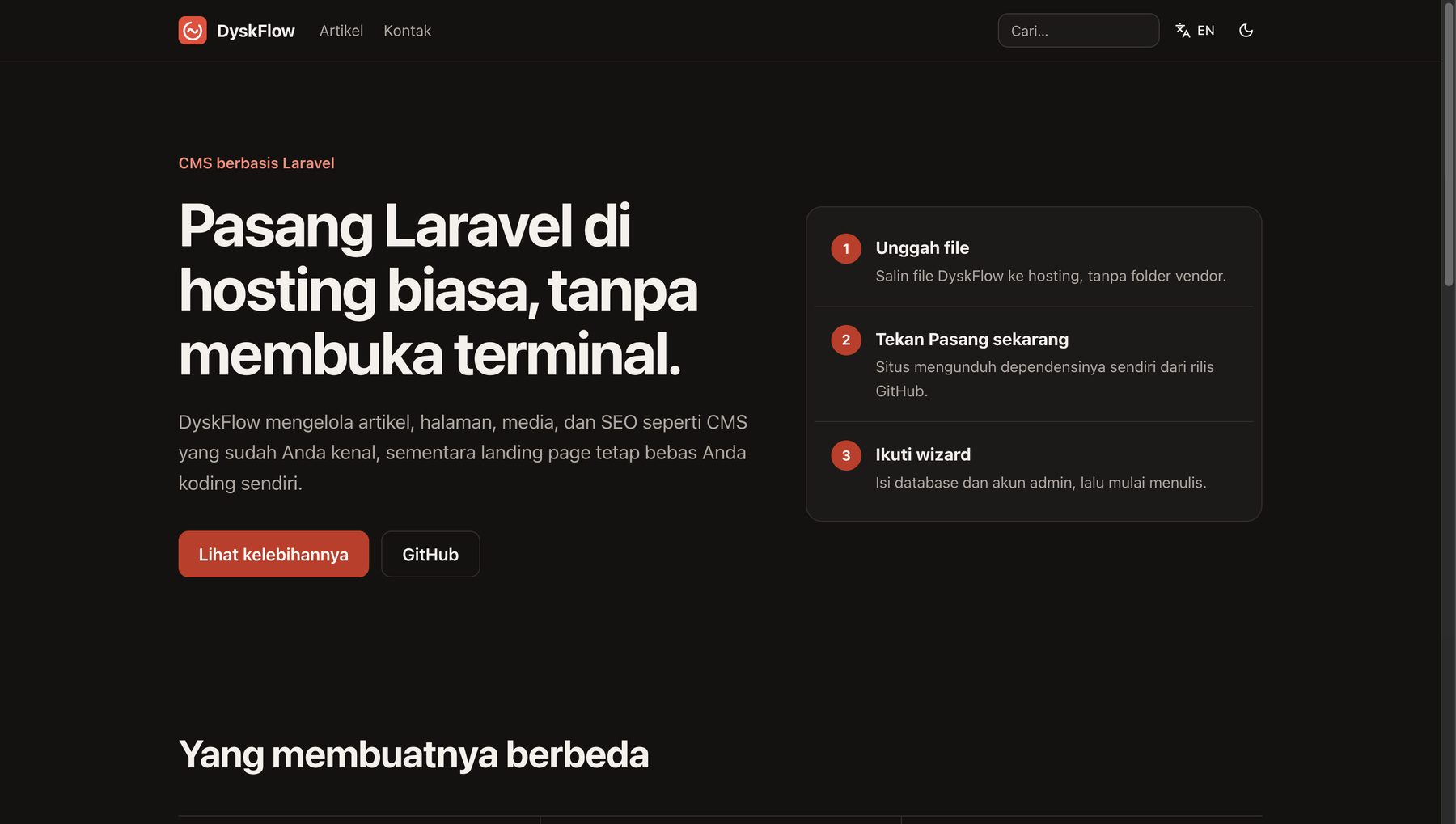
Install it like
a shared hosting user.
- 1
Upload the files
Upload to your hosting without the vendor folder. No Composer, Node, or Vite needed on the server.
- 2
Open the site
Press Install now. The wizard can fetch vendor by itself, with no terminal.
- 3
Follow the wizard
Fill in the database and admin account. MySQL or SQLite, both are supported.
Or write the code yourself
Free-form landing pages.
By hand or with AI.
Landing pages and custom pages are Blade files in the landing/ folder. The homepage is chosen in Settings: a landing page, the article list, or a regular page. Everything else, articles, pages, categories, tags, comments, and media, is managed from the dashboard.
your-site/
├── landing/        # landing pages, by hand / AI
├── plugins/        # plugins with hooks
├── theme/          # theme overrides, safe on update
├── public/uploads/  # media
├── storage/
├── .env
└── cms.json
One-click updates
Press update.
Your site stays intact.
- 01Back up the database first
- 02Fetch the code from the latest GitHub release
- 03Replace vendor only when composer.lock changed
- 04Run the migrations
Never overwritten
.envstoragelandingpluginsthemepublic/uploadscms.json
Your site's content and code survive every update. Each release is published by GitHub Actions together with its vendor.zip.
Everything a site needs,
already inside.
Built-in SEO
Meta tags, canonical URLs, Open Graph, JSON-LD, hreflang, a search result preview, a checklist, sitemap, and robots.txt.
Two languages
Indonesian and English with per-language URLs such as /en/blog/slug, plus per-language RSS.
Complete content
Articles, pages, categories, tags, media, and moderated comments. JPG and PNG photos can become WebP automatically.
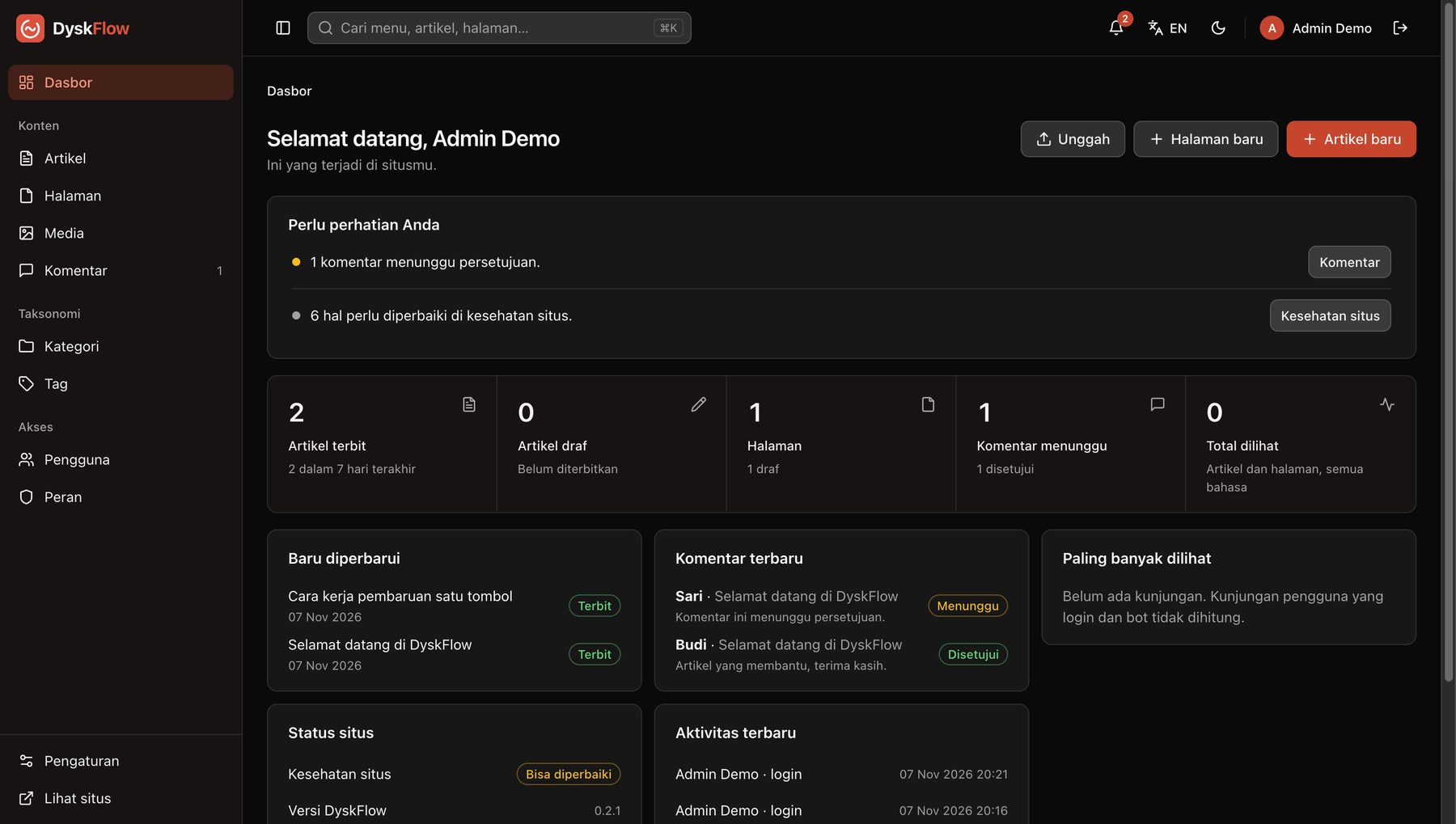
An honest dashboard
What needs attention, key numbers, recent comments, scheduled posts, and site status, based on permissions.
Users and security
User roles, an activity log, and two-step verification (TOTP) with recovery codes.
Backup and import
Database and full backups, plus import and export of articles, pages, templates, and settings.
Trash
Deleted articles, pages, and comments can be restored.
Cookie-free stats
View counts without cookies, a privacy guide, and a site health page.
Plugins and hooks
Plugins in the plugins/ folder with hooks and automatically generated settings pages.
Search anywhere
⌘K or Ctrl+K, notifications for comments, new versions, and errors, plus dark mode.
Tidy domains
The www and bare domain redirect permanently to the site address you chose.
Admin language
The admin panel is available in English and Indonesian.
Ready to try it?
Upload the files, open the site, press Install now. The full guide is in SETUP.md.
Privacy
Your site, your database. DyskFlow sends your visitors' data nowhere.
- Data in your own database
Articles, comments, accounts, and form messages live in MySQL or SQLite on your hosting. No DyskLab account, no telemetry, and the admin loads nothing from a CDN.
- Cookie-free view counts
A visit only adds one to a number on the article or page. Bots and logged-in admins aren't counted, and there's no third-party analytics script.
- Reading pages sets no cookies
New visitors get no cookies. Session and security cookies appear only on pages with a comment form and when logging in.
- Google Fonts downloaded to the site
You pick fonts in the admin and the server downloads them once. Visitors load them from your site and never connect to Google.
- Forms without cookies
Spam is held back by a honeypot, rate limits, and the comment blocklist. Messages are stored in Content › Forms and sent to your email.
- Built-in Privacy Guide
Settings › Privacy Guide describes what your site really collects, with a checklist and a draft Privacy Policy to start from.
- Two-step verification
Admin accounts can use TOTP with recovery codes. Passwords are stored hashed, and the activity log records who changed what.
- What contacts GitHub
Your server, not your visitors, contacts GitHub to check for updates and to download
vendoror a new release. No visitor data is sent. - Third-party embeds
The Map widget (Google Maps) and YouTube or Vimeo videos load only when a visitor presses the button. YouTube thumbnails come from YouTube's servers unless you set your own poster.
- What stays your responsibility
Comments store a name, email, and IP address to fight spam. Email goes through your SMTP provider, backups hold a copy of the database, and plugins can add their own data or cookies.
DyskFlow is software you install yourself. DyskLab receives no data from your site.
FAQ
What hosting do I need?
PHP 8.3 or newer with the mbstring, openssl, fileinfo, dom, zip, and pdo_mysql or pdo_sqlite extensions. Optional: gd for image processing and curl for downloads.
Apache, LiteSpeed, and Nginx all work. The full steps are in SETUP.md (in Indonesian).
Can I install it on shared hosting or cPanel without a terminal?
Yes. Upload the files with the File Manager, open the site, press Install now to install vendor, then follow the wizard. No Composer, Node, or SSH needed.
If the server can't download from GitHub, get vendor.zip from the releases page and put it in the app's root folder.
MySQL or SQLite?
Both are supported and chosen in the wizard. SQLite needs no database server and suits small sites or a trial. MySQL suits hosting that already provides it. The database must be empty at install time.
Does an update overwrite my changes?
No. A database backup is made first, and .env, storage, landing, plugins, theme, public/uploads, and cms.json are never overwritten. To change the default theme, copy its file into theme/ with the Explorer; the copy survives every update.
Can AI build pages?
Yes, two ways. Page builder pages can be exported and imported as JSON with php artisan builder:export and builder:import. Free-form landing pages are Blade or HTML in the landing/ folder. A guide written for AI tools is in docs/AI-GUIDE.md.
What about plugins?
A plugin is a folder in plugins/ with a plugin.json and a plugin.php. Plugins can use hooks, migrations, and their own tables (included in backups), and fields in plugin.json become a settings page automatically. A plugin that errors while loading is turned off.
Is DyskFlow free?
Yes. DyskFlow is open source under the MIT license: use it for your own sites or for clients, with no paid tier or feature limits.
I'm locked out of two-step verification. Now what?
Use a recovery code when you log in, or ask another admin to use Users › Reset TOTP. If nobody can log in, run php artisan cms:totp-reset email@example.com on the server.
Found a bug or have an idea?
Open an issue on GitHub (new tab). Include your DyskFlow version, PHP version, and the steps that cause the problem.
DyskFlow is free and open source.
No ads, no accounts, no paid tier. If it helps you, these two things help a lot:
Helps other people find the project
Pays for the time behind the next features and fixes
Buy me a coffee (new tab)