Clipboard History⌃⌘V
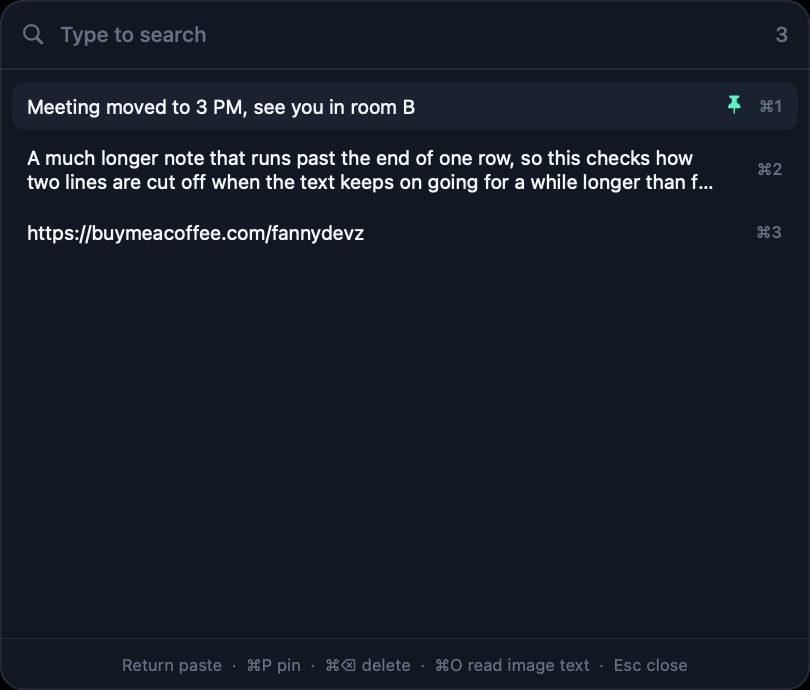
Keeps up to 5000 copies or everything, pastes the newest directly with Control + Option + 1 to 9, copies text from part of the screen with Control + Command + O, and imports from Ditto and CopyQ. Passwords are skipped.
Early development
DyskLink connects your Mac and Android phone over local Wi-Fi. No cloud, no account. Files, clipboard, notifications, even the phone's screen, straight from one device to the other.
Mac 1.0.1 · Android 1.0.0 · macOS 15+ Apple Silicon · Android 8+ · Free, MIT License ·all releases (new tab)
With your phone
You need two apps: DyskLink for Mac and DyskLink for Android. Phone data, screen, and control stay off until you turn them on from the phone.
Pair once, then it just connects.
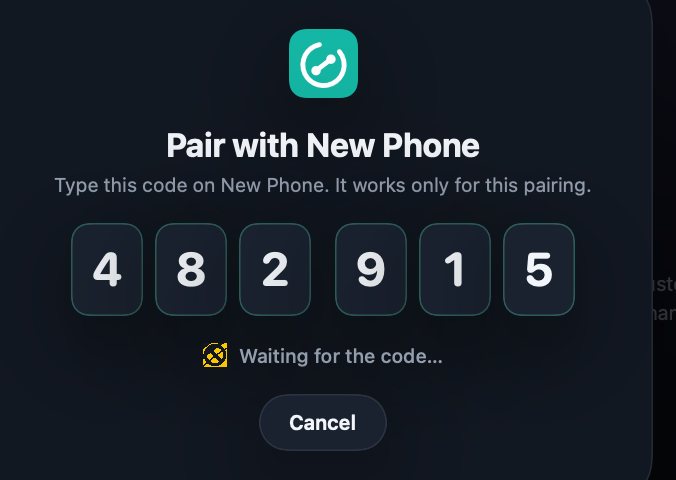
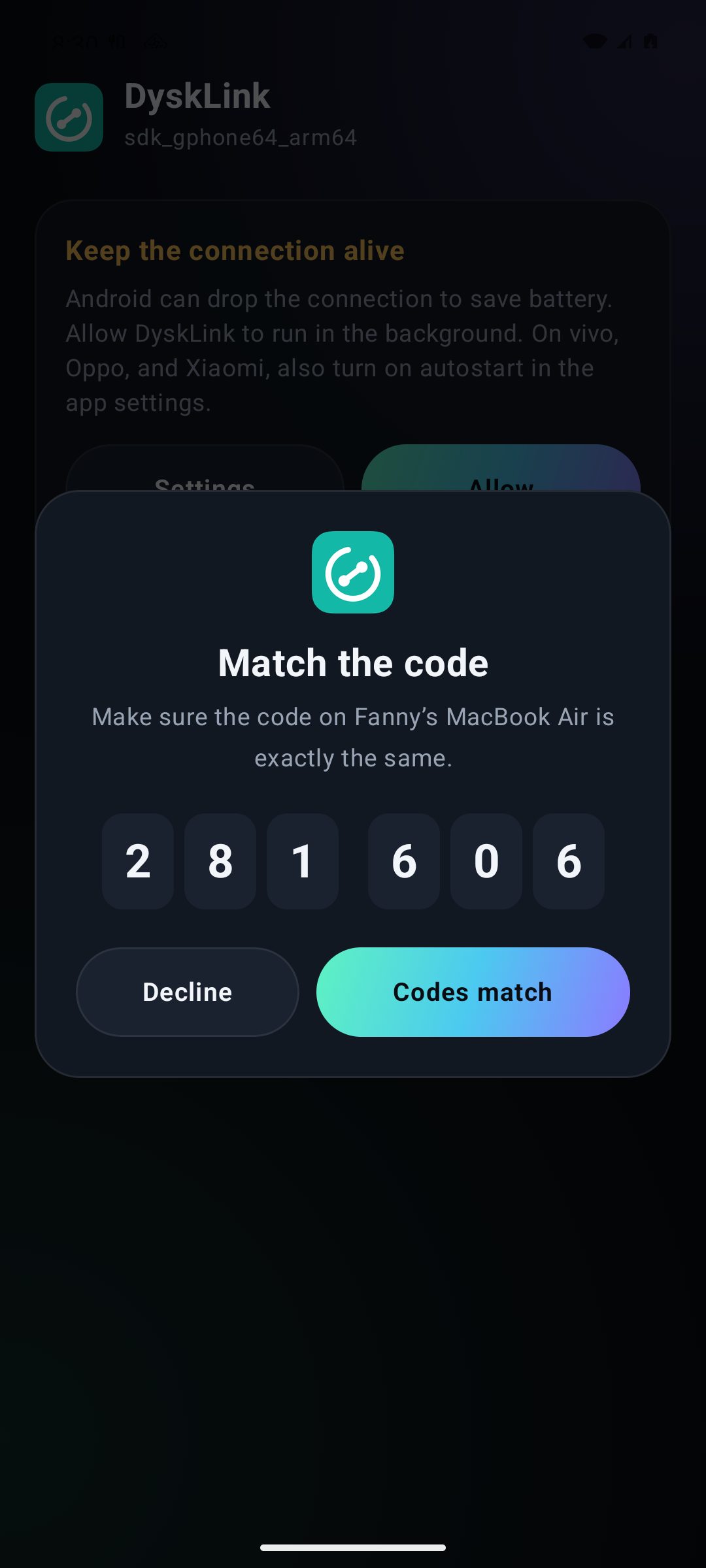
Pair with a 6-digit code, several devices, automatic reconnection, plus phone status: battery, storage, and signal.
Turn on USB debugging and plug the phone in: the connection moves to the cable within seconds. Needs adb, which the phone's settings on the Mac can download.
Mac asleep? Wake Mac on the phone sends Wake-on-LAN. The Mac has to be asleep (not shut down), on power, and on the same network.
The Mac locks when your chosen phone stays disconnected for the time you pick, 30 seconds to 5 minutes. It won't lock when the Mac itself is offline.
Ring the phone from the Mac at full volume, even on silent, or ring the Mac from the phone.
Pair several Macs: copies and their history sync, files go across, and each can ring the other. Other phones can connect too.
Files, copies, photos, and sound move without fuss.
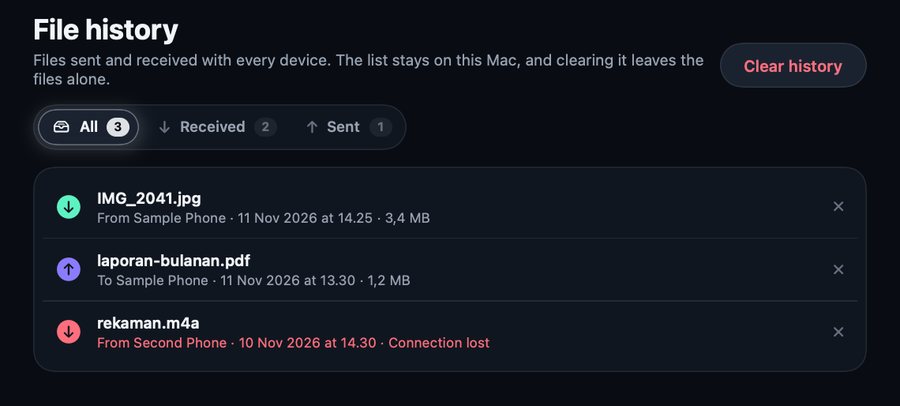
From the phone to Downloads/DyskLink on the Mac, from the Mac to Download/DyskLink on the phone. Everything is listed in File history.
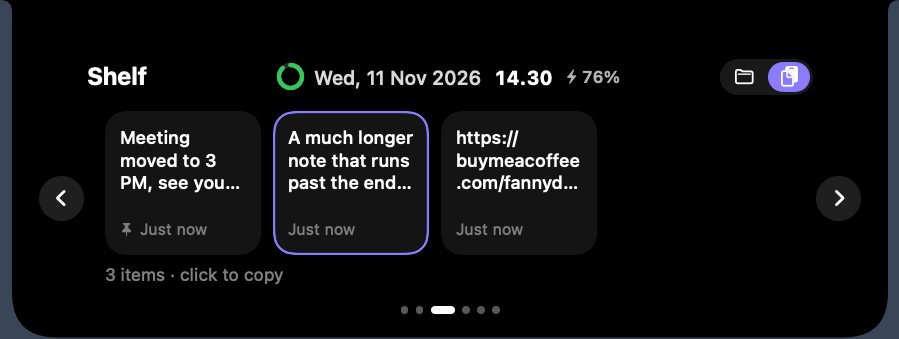
Copy on the Mac, paste on the phone. The phone can send its copies back too, by hand or automatically.
New photos and screenshots from the phone land in Pictures › DyskLink on the Mac whenever it's connected. Older photos stay put.
Browse the phone's photos and videos from the Mac, newest first. Click to open, right-click to save to Downloads.
Hear the Mac through earphones on your phone, or play the phone's sound on the Mac (Android 10+). The phone screen window carries its sound too. About 0.1–0.5 s behind.
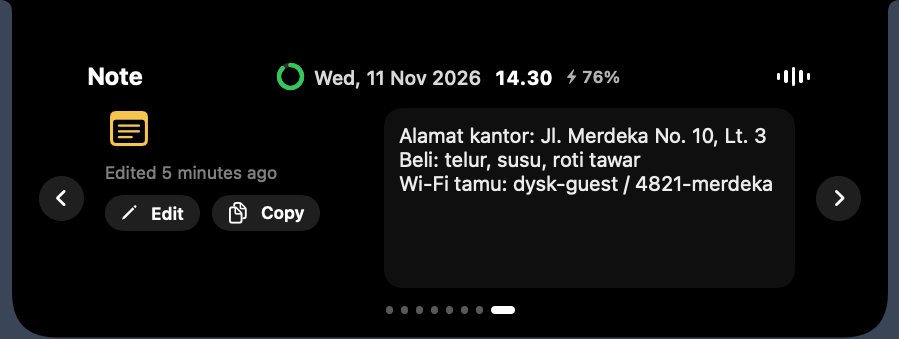
One short note for an address, a number, or a shopping list. The notch's Note page and Quick note on the phone hold the same text.
What happens on the phone, seen on the Mac.
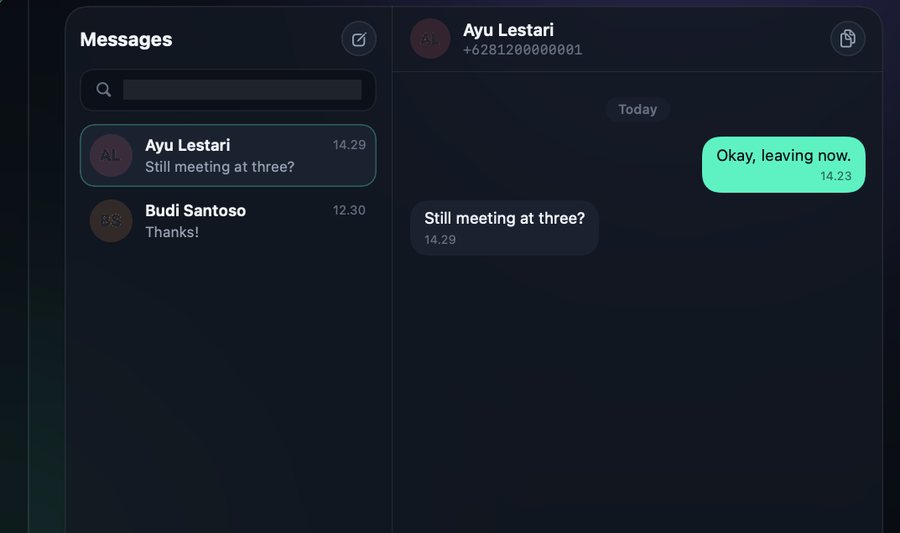
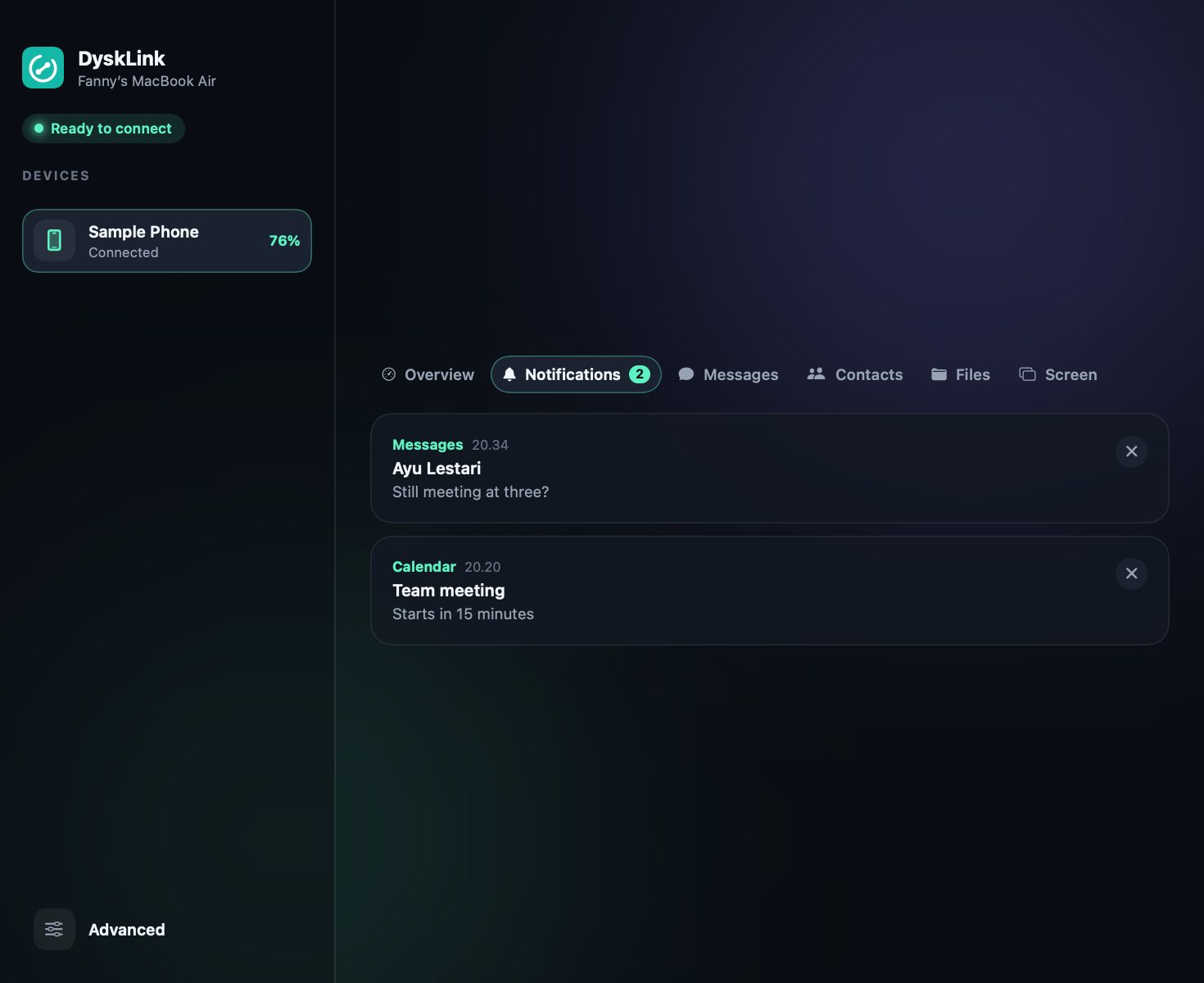
Phone notifications, reading and sending SMS, incoming calls, contacts with vCard export, and phone files (read-only).
Search ignores case and accents, and treats 0812…, 62812… and +62 812-… as the same number.
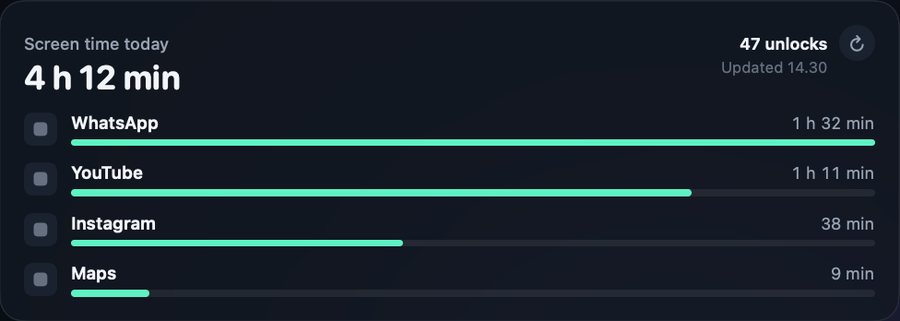
Today's total phone use, the number of unlocks, and the most used apps, right on the Mac.
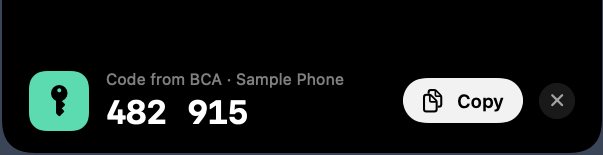
One-time codes from SMS and notifications show under the notch with a Copy button for 30 seconds, and aren't kept.
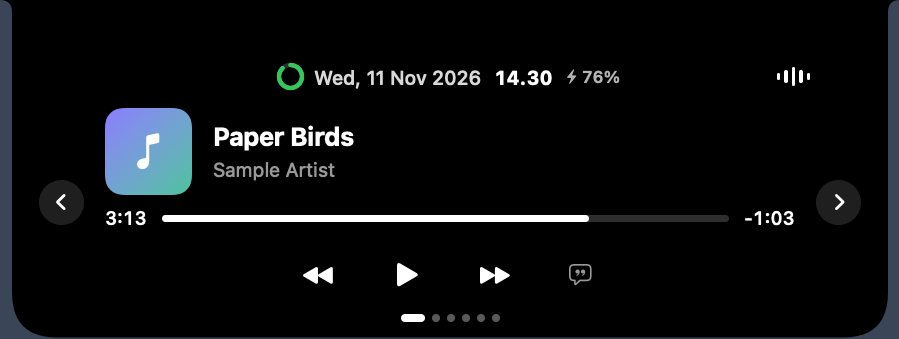
Music or video on the Mac pauses when the phone rings and plays again when the call ends.

A short warning in the notch when the phone falls to 10–30% (20% by default) and when it's full while charging.
Borrow each other's screen and camera.
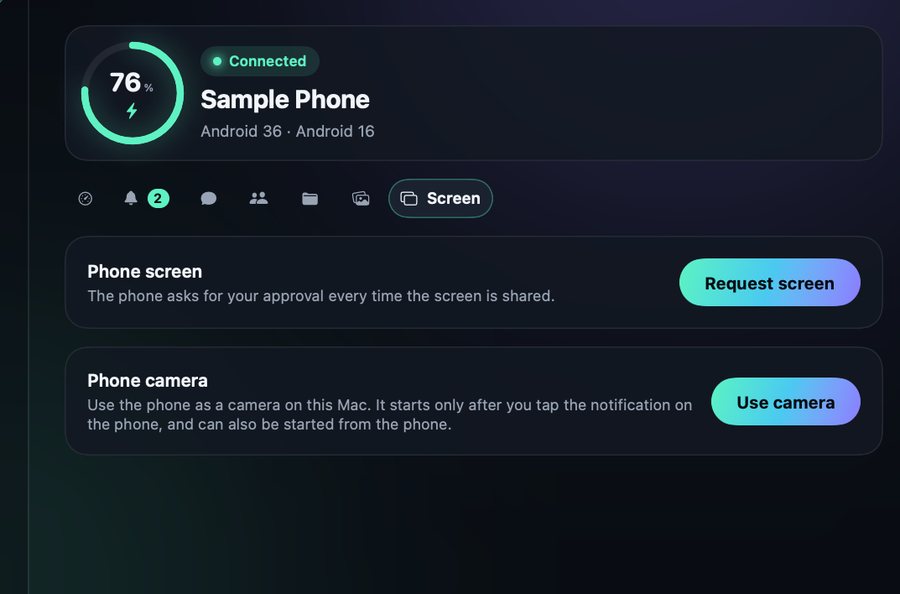
See the phone's screen on the Mac and control it with your mouse and keyboard.
In the phone screen window, map keyboard keys to spots on the screen, plus a WASD joystick. Hold several keys at once; the mouse taps too.
View the Mac's screen from the phone: tap to click, two fingers to scroll, pinch to zoom, and type with the phone keyboard.
The phone becomes an extra display of the Mac, turned sideways. Drag windows onto it and arrange it in System Settings › Displays.
The phone's front or back camera in a Mac window, with lens switch, light, mirror, rotate, and keep on top. Use OBS Virtual Camera to bring it into Zoom or Meet.
The phone screen and camera windows have a clean view without the button bar (⌘B brings it back). Add them with Window Capture.
Your phone as a work tool
The phone becomes a touchpad, keyboard, media remote, or presentation remote, and can run Mac commands you've listed.
In Presentation, hold the purple pad and turn the phone to move the Mac's pointer like a laser. A quick tap clicks.
Big buttons for shortcuts, media keys, text, or Mac commands. OBS buttons talk to OBS's WebSocket directly: scenes, streaming, recording, mute.
Speak Indonesian or English and the words are typed on the Mac, with spoken punctuation like "comma" and "new line".
Scan a barcode or QR code and its text is typed where the Mac's cursor is, then Enter, Tab, or nothing.
Paper edges are found automatically, ML Kit reads the text, and the PDF goes to the Mac, which adds a text layer so Spotlight and Preview can search it.
A real Mac shell on the phone, vim and htop included. The Mac has to allow it first, and the phone asks for your fingerprint every time.
The Mac notch's todo list, water count, and Pomodoro can be changed from the phone, which can go into Do Not Disturb during focus.
On your home screen
Tick todos right there, watch the Pomodoro count down on the home screen, and put up to four actions on the Buttons widget: send clipboard, lock Mac, Keep Awake, ring Mac, play/pause, touchpad, terminal, commands, or Stream Deck. They follow light and dark mode, and the wallpaper colors on Android 12+.
Quick Settings tiles: send clipboard, lock Mac, and Keep Awake.
On the phone, no Mac needed
The Tools tab in the Android app holds tools that run on the phone alone.
Connection details, a speed test, devices on the same Wi-Fi, and ping.
Clean up storage, see app sizes and usage, and which apps hold sensitive permissions.
A read-only web server: a laptop on the same Wi-Fi can open the phone's files after entering a PIN. It stops by itself after 30 minutes without use.
Prayer times from equran.id with reminders, a 3-day forecast from Open-Meteo, a widget, and it keeps working offline.
A notification when the battery reaches the limit you choose (80% by default), plus a charging history.
Extra tools for the Mac
Open Advanced at the bottom of the sidebar. Every tool stays off until you turn it on.
Keeps up to 5000 copies or everything, pastes the newest directly with Control + Option + 1 to 9, copies text from part of the screen with Control + Command + O, and imports from Ditto and CopyQ. Passwords are skipped.
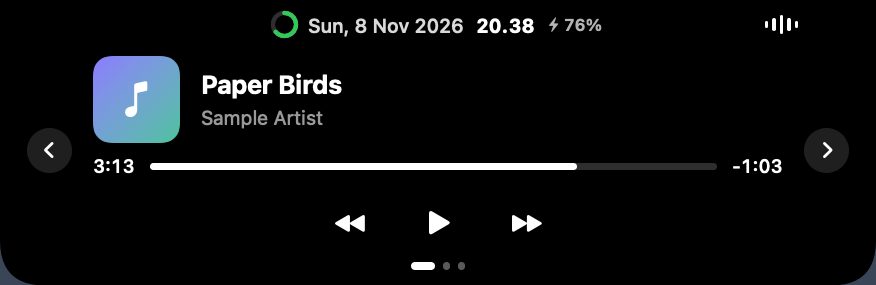
Music controls with optional lyrics, Pomodoro, todo, a water reminder, prayer times, weather, Mac and phone batteries, a file shelf, recent copies, a quick note, and phone notifications.
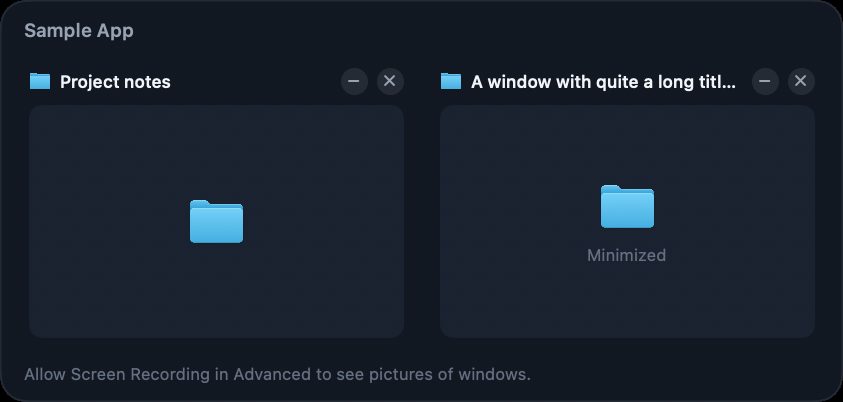
Point at a Dock icon to see, focus, minimize, or close its windows. Option + Tab switches between windows, with an optional Liquid Glass look.
Inside the notch
Music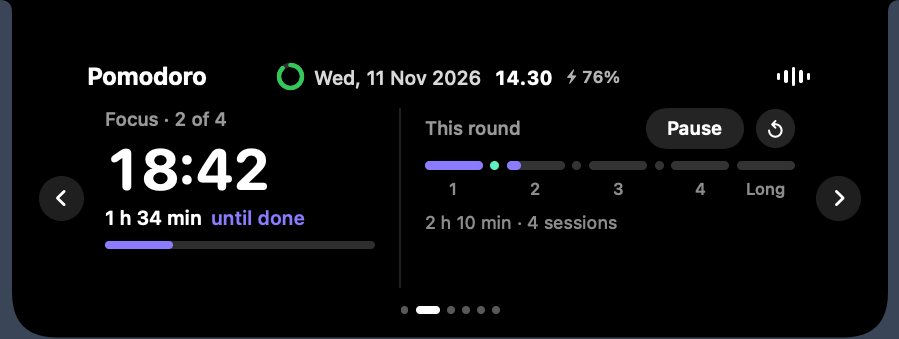 Pomodoro
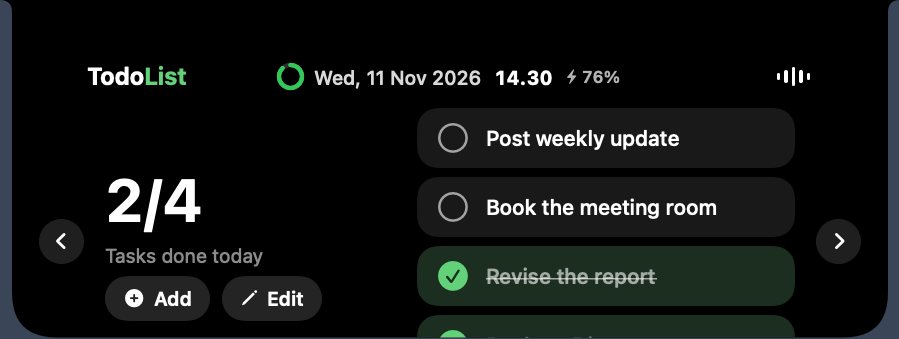 Todo
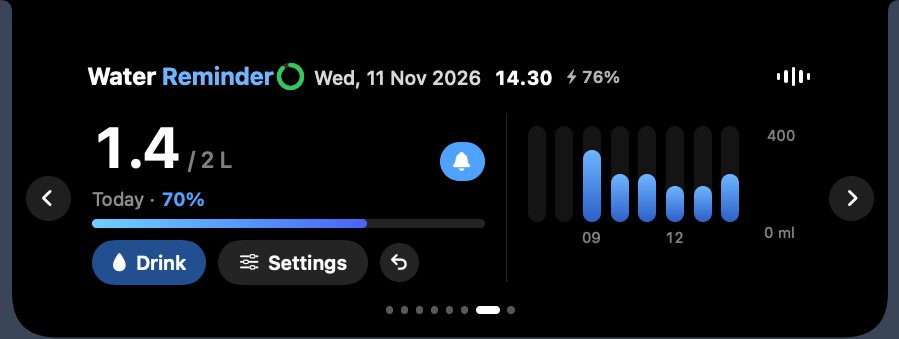 Water
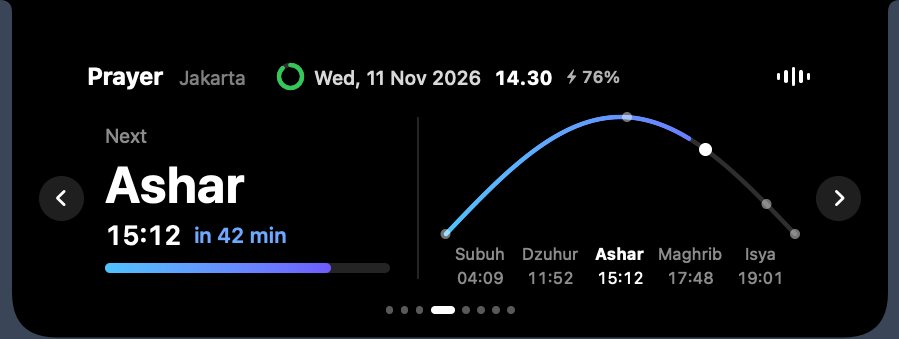 Prayer times
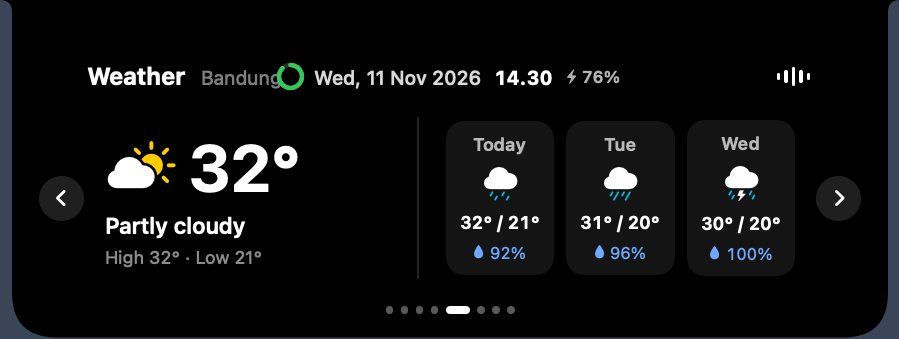 WeatherShelf and copiesNote
Search apps, files, windows, copies, sums, unit conversions such as 10 km to mi, and emoji.
Put windows in a half, third, quarter, the center, or full screen, move them to another screen, or tile them all into a grid. Layouts can be saved.
Drag over any part of the screen and its text is copied. Recognition runs on this Mac only.
CPU, memory, disk, network, battery, and the busiest apps. It only samples while its page is on screen.
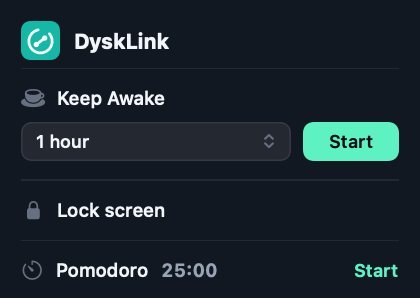
Keep the Mac or its screen awake for a set time, only while plugged in, until the battery drops, or until there's no activity.
Sliders for the built-in screen, external monitors over DDC/CI, and the sound output. The brightness keys can control every screen.
Turn off acceleration, set the speed, reverse the wheel for external mice, and use a modifier + wheel to scroll sideways, zoom, or change volume.
The notch picks up YouTube in Safari, Chrome, Firefox, and other browsers from window titles, plus a Firefox extension. Lyrics from LRCLIB can show beside the player; off by default.
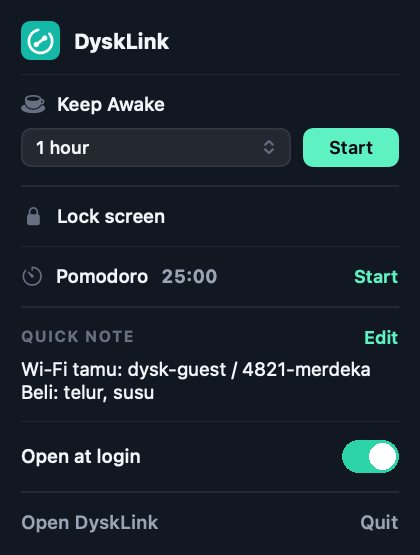
Choose what the DyskLink menu shows and in what order: devices, brightness and volume, Keep Awake, window layouts, recent copies, ring phone, lock screen, Pomodoro, weather, quick note, and battery.
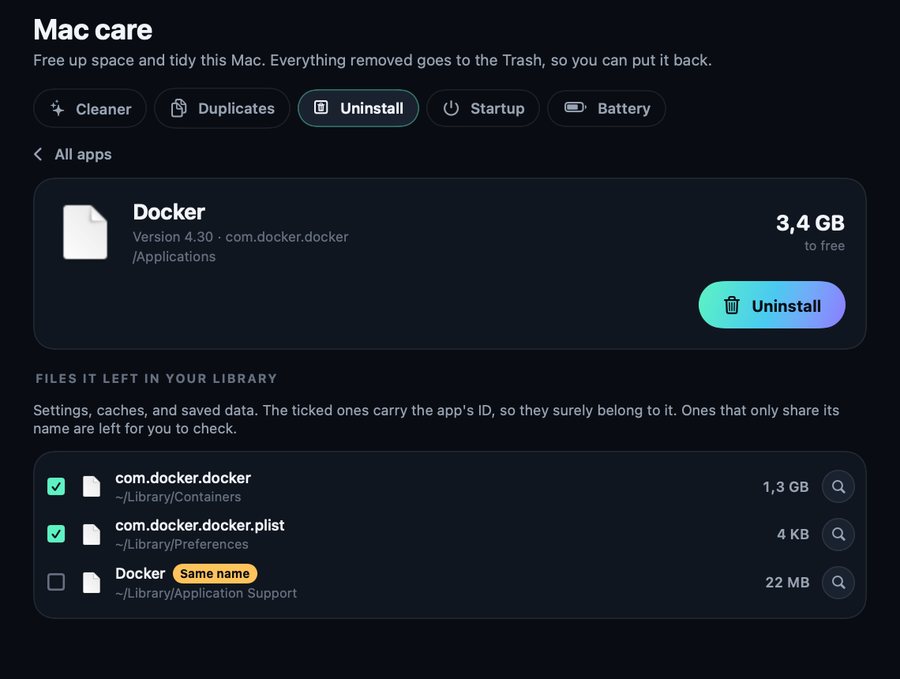
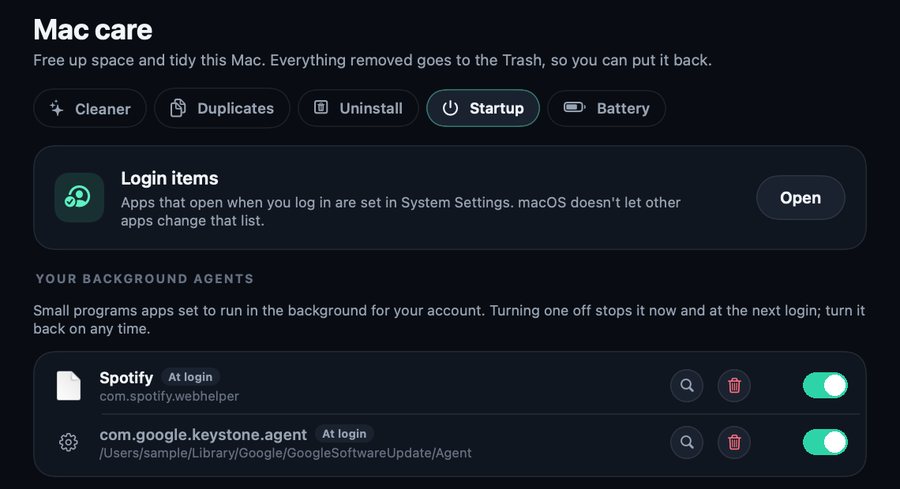
Mac care
Nothing is removed without asking, and everything goes to the Trash, so it can be put back. The battery is read without admin rights.
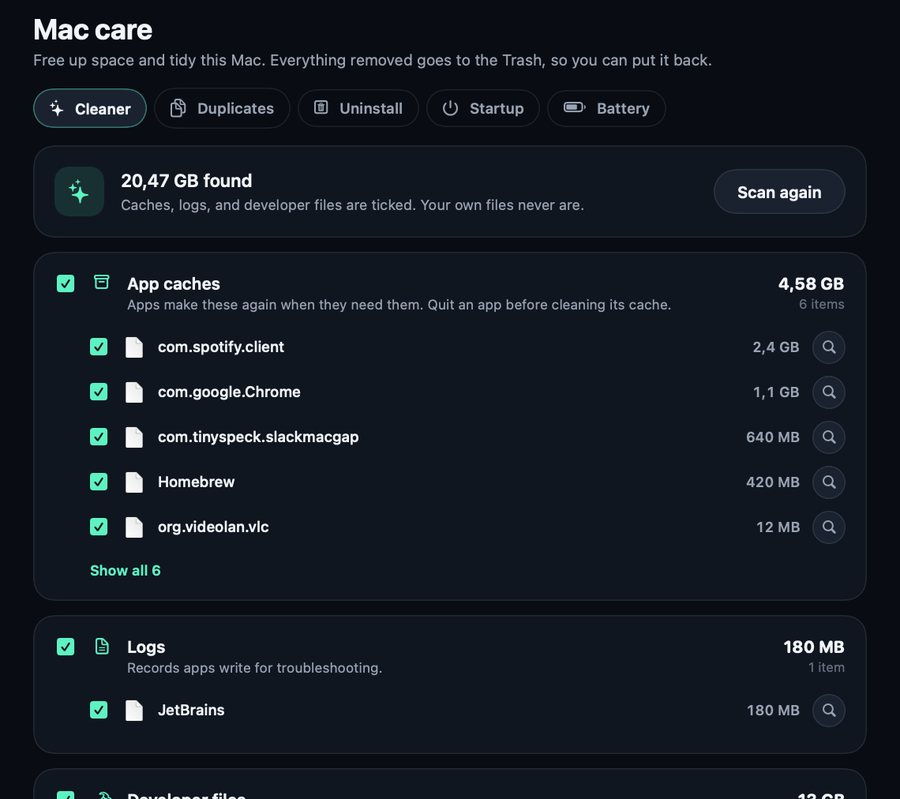
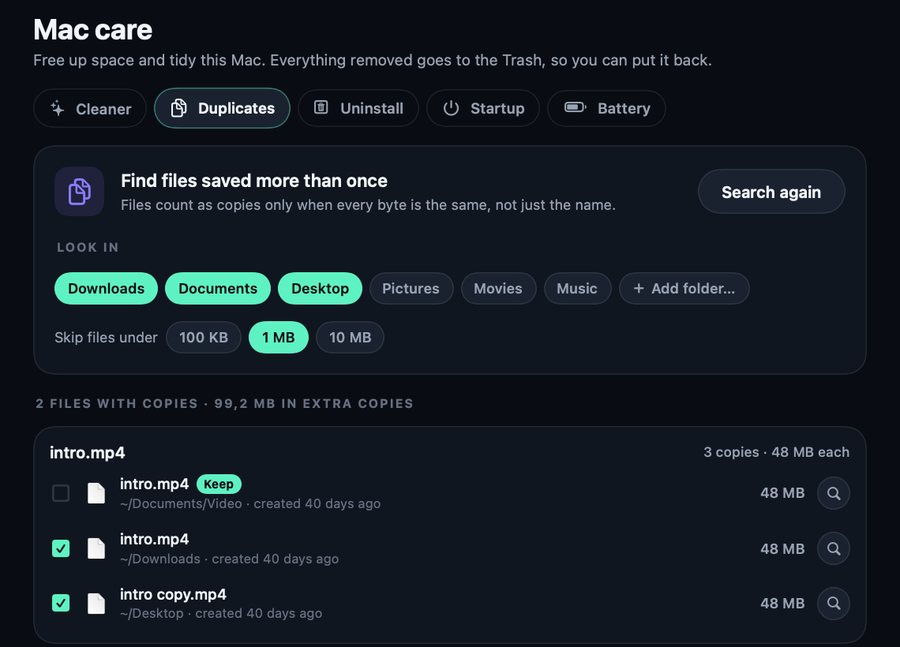
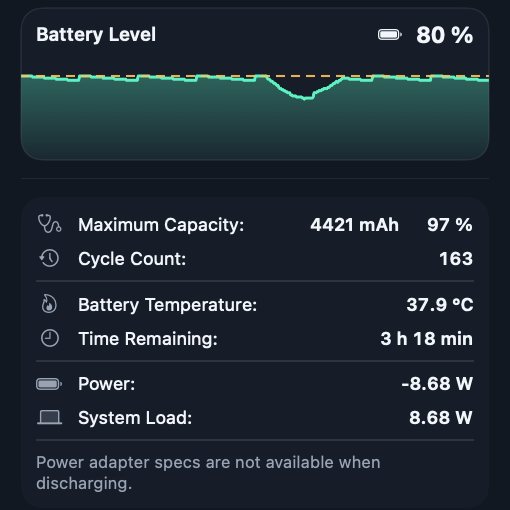
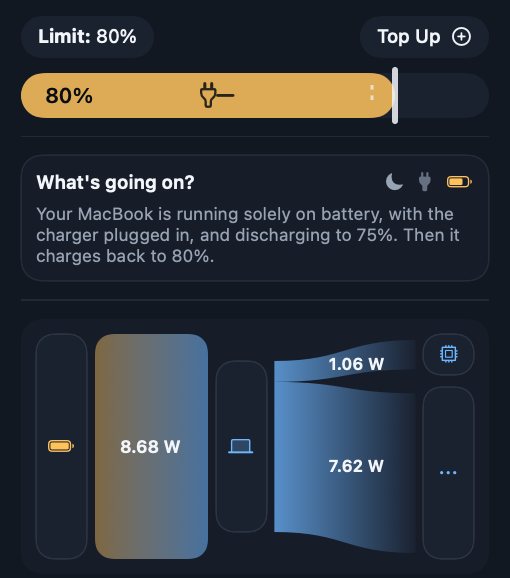
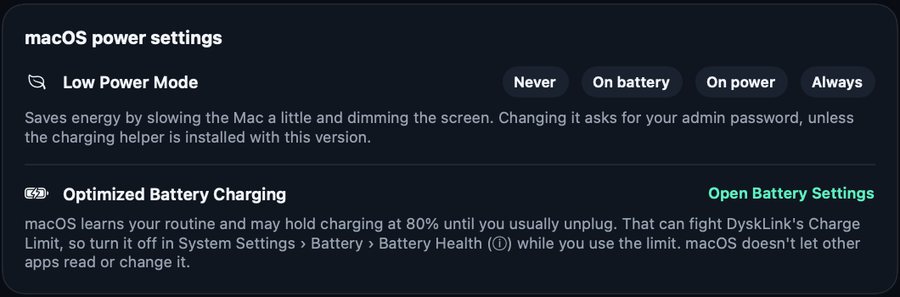
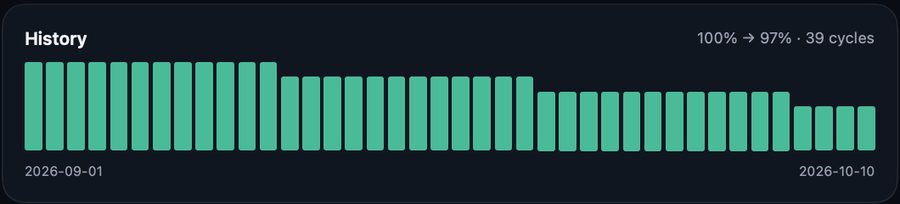
How charging control works: through a tiny root helper, dysklink-power, that can only read a few battery values and switch the charger input off and on. Its launchd guard turns the charger back on if DyskLink isn't running or the battery is below 10%. Remove helper undoes the install.
Once a day DyskLink checks GitHub for a new release. Install and restart downloads it, checks that the certificate matches, and swaps the app, only when you ask. A phone with an older DyskLink gets a note too.
Download
Download DyskLink-mac-arm64.zip, unzip it, and move it to Applications. Allow it under Privacy & Security › Open Anyway.
Download the APK from the latest release, open it on the phone, and allow installing from that source.
Download DyskLink-android-1.0.0.apk →Open both on the same network and type the 6-digit code from the Mac into the phone. After that they connect by themselves.
DyskLink is in early development, so expect rough edges. The Mac build uses a self-signed certificate and the Android APK is still a debug build. For Intel Macs, build from source.
Privacy
The Mac and phone talk directly over the local network or a USB cable, encrypted with TLS and paired with a 6-digit code. No account, no cloud.
Notifications, SMS, contacts, screen, and control are off until you turn them on one by one on the phone. The Mac keeps that data in memory only and clears it when a feature is turned off or the devices unpair.
Contacts are saved only when you press Export vCard. Files go to Downloads/DyskLink, photos to Pictures › DyskLink. Clipboard History stays on this Mac, readable only by your account, and content marked private is always skipped.
Once a day it reads the public release list on GitHub. It sends nothing about your devices and installs nothing unless you ask.
Reading text from the screen runs on this Mac. Option + Tab only checks which key is pressed, without storing or sending it.
Lyrics send the song's title and artist to LRCLIB (off by default). Prayer times send the city name to equran.id, weather sends the city's coordinates to Open-Meteo. The speed test uses speed.cloudflare.com.
Barcode and document scanning use Google's scanners through Play Services, and voice typing uses the phone's own speech recognizer.
The phone's web server uses plain HTTP with a PIN. Use it only on a Wi-Fi you trust; it stops after 30 minutes without use.
Except those their app marks as secret, so verification codes from banks or SMS can show on the Mac. Sending phone copies automatically can also send a copied password.
Private keys are stored as files with restricted permissions, not yet in the Keychain or Android Keystore. The APK is a debug build, so its data can be read through adb run-as.
All the code is open: DyskLink for Mac (new tab) and DyskLink for Android (new tab).
Yes. It's free and open source under the MIT License: no ads, no account, no paid tier. The code is on GitHub for Mac (new tab) and Android (new tab).
A Mac with macOS 15 or later on Apple Silicon, and an Android phone with Android 8 or later. For Intel Macs, build it from source. A few features need more, for example the phone's sound on the Mac needs Android 10.
No. The phone features are for Android only. The Advanced tools and Mac care still work on a Mac with no phone at all.
The app isn't notarized by Apple and uses a self-signed certificate, so macOS blocks the first launch. Open System Settings › Privacy & Security and choose Open Anyway, or run xattr -dr com.apple.quarantine /Applications/DyskLink.app.
The SMS, call log, and all-files permissions keep it off Google Play without a special application, so the APK is installed directly from GitHub. Android asks you to allow installing from that source.
No. The Mac and phone only need to be on the same Wi-Fi, or joined by a USB cable. The internet is only used by features that need it: the update check, weather, prayer times, lyrics, and the speed test.
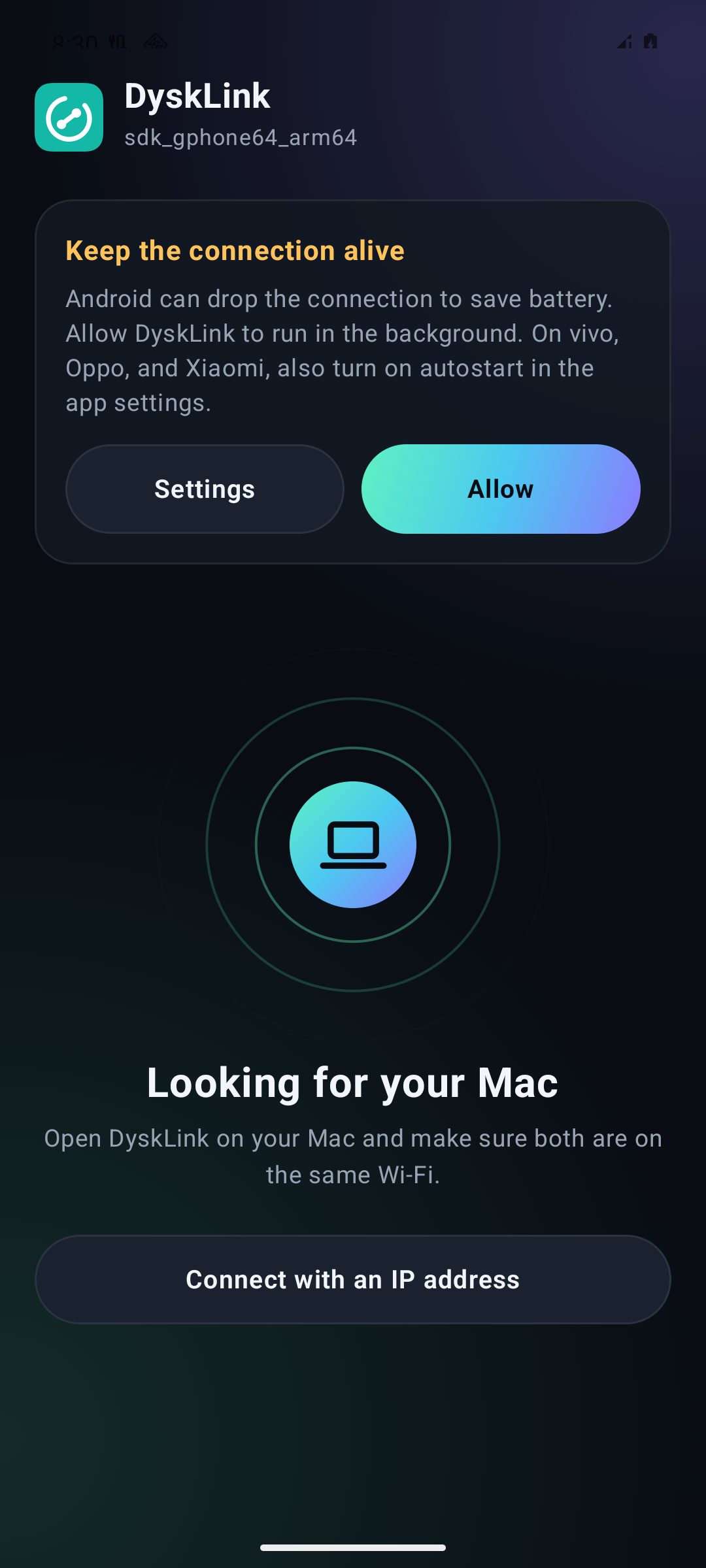
Allow DyskLink to run in the background from the card in the app, and on vivo, Oppo, and Xiaomi also turn on autostart. DyskLink uses a foreground service with a 25-second heartbeat, reconnects when the network changes, and starts again after the phone reboots.
On the Mac, pairings, keys, and Clipboard History stay, but allow Accessibility, Screen Recording, and notifications again, and turn Open at login off and on. On Android, it has been a separate app since 0.2.0: uninstall the old one, install the latest, and pair again.
Open an issue on GitHub for the Mac app (new tab) or the Android app (new tab). Include the app version, the phone model and Android version, and the steps that cause it.
No ads, no accounts, no paid tier. If it helps you, these two things help a lot:
Helps other people find the project
Pays for the time behind the next features and fixes
Buy me a coffee (new tab)